Your resume looks perfect. You've spent hours getting the wording right, the layout clean, the section breaks just so. Then you hit Upload on a job portal and see this: "File size exceeds the maximum allowed."
If that's happened to you, it's not you and it's not your resume. It's the fact that modern job portals impose surprisingly strict file limits — often stricter than your email inbox — and any embedded headshot, template graphic, or scanned signature can push a two-page PDF over the edge in a matter of clicks.
This guide walks through the actual size caps used by LinkedIn, Indeed, Workday, and every major applicant tracking system (ATS), the fastest way to shrink your resume below them, and the mistakes that quietly cost job seekers interviews every day.
If you already know your resume just needs to be smaller:
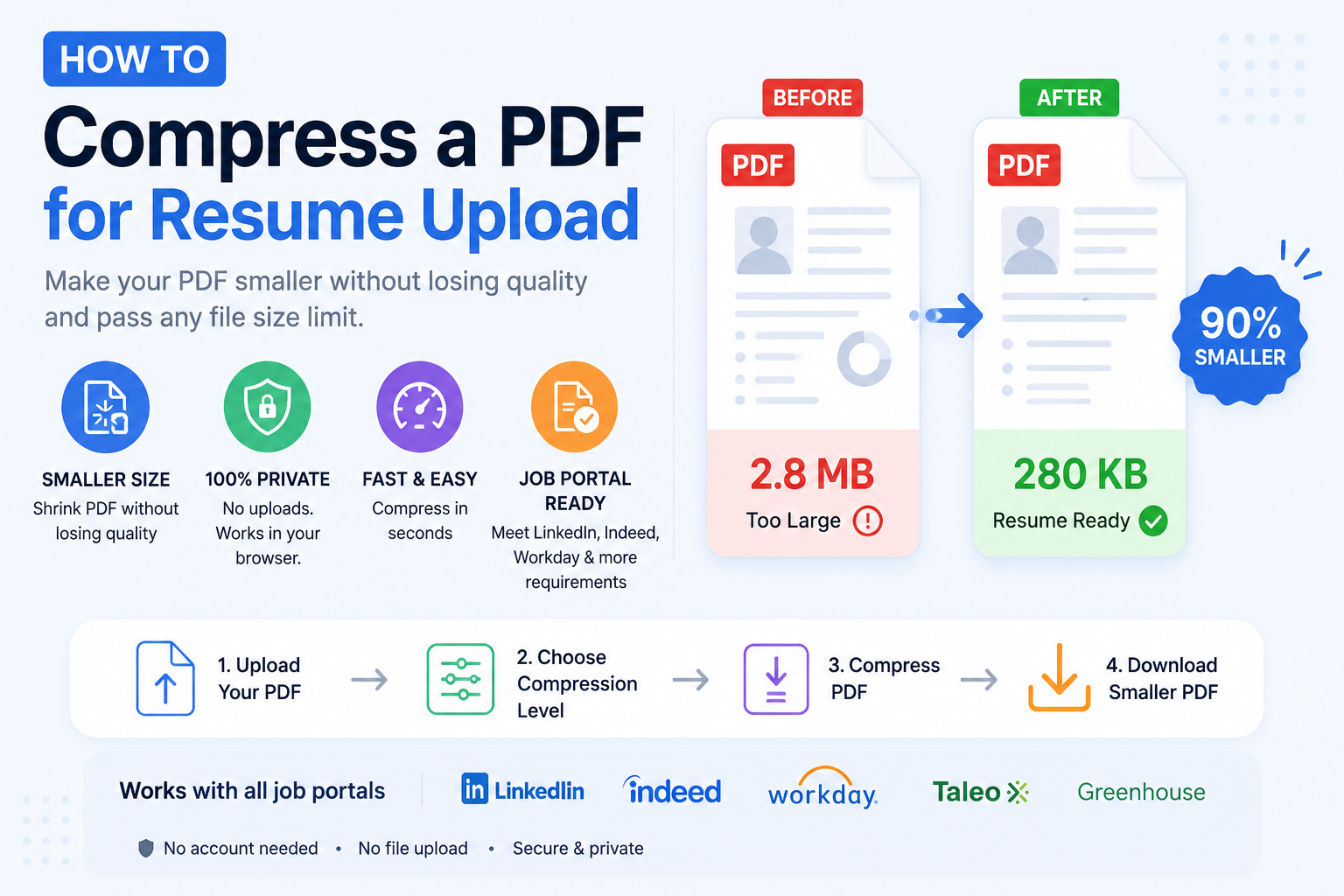
- Open ToolWayAI's free Compress PDF tool.
- Drop your resume in, choose Recommended for most portals or Strong if you're at LinkedIn's 2 MB cap, and download the smaller version.
- Everything happens inside your browser — your resume is never uploaded to a server, which matters when the file has your address, phone number, and employment history on it.
That's the 30-second path. If you'd like to understand why portals reject resumes, what size to aim for, and how to keep the formatting intact for the recruiter's eyes, keep reading.
- Need a quick fix? Try the tool
- Job portal size limits: the real numbers
- Why resumes get too large in the first place
- What size should a resume PDF actually be?
- Step-by-step: compress your resume in 30 seconds
- Portal-by-portal playbook (LinkedIn, Indeed, Workday, Greenhouse, Lever)
- Real resume scenarios and what to do
- Common resume mistakes that inflate file size
- Best practices before you hit Upload
- Myths vs. facts about resume PDFs
- The pre-upload checklist
- Frequently asked questions
- Why ToolWayAI for this
- Summary
- Continue learning
There's no single "resume size" standard. Every recruiting platform picks its own cap, and most job seekers don't discover the limit until an upload fails. Here's the honest list of what today's platforms actually accept.
| Platform | Resume upload limit | Notes |
|---|---|---|
| LinkedIn Easy Apply | 2 MB | The strictest of the majors — this is where most people first hit the wall |
| LinkedIn profile résumé | 5 MB | Different from Easy Apply; used for your saved profile résumé |
| Indeed | 5 MB | Applies to both auto-apply and manual uploads |
| Workday | Varies (usually 5–10 MB) | Each employer sets its own limit within Workday; assume 5 MB to be safe |
| Greenhouse | 20 MB | One of the more lenient ATSes |
| Lever | 10 MB | Very forgiving, but ATS parsers still prefer smaller |
| SmartRecruiters | 5 MB | Strict for such a widely used platform |
| iCIMS | 5 MB | Common at large enterprises |
| Taleo (Oracle) | 2 MB | The other portal that catches people out |
| BambooHR | 10 MB | Common at small and mid-size companies |
| Company career page (custom) | Anywhere from 1 MB to 25 MB | Often the smallest limit — always check the fine print |
Two useful rules of thumb:
- If you want one file that works everywhere, aim for under 2 MB.
- If you can get it under 500 KB, most ATS parsers process it faster — which matters when the ATS is deduping thousands of applications overnight.
Most oversized resumes suffer from one of these four causes. If you can identify yours, you'll know exactly what to fix.
- A high-resolution photo or headshot. A 12-megapixel iPhone selfie dropped into a Word document adds 3–8 MB by itself.
- Scanned pages instead of exported pages. If you scanned a printed resume, you now have image-of-text at 300–600 DPI. This is the #1 cause of 20 MB+ resumes.
- Design templates with heavy graphics. Canva, Behance, and Etsy resume templates often embed full-bleed background images, decorative textures, and infographic icons at print resolution.
- Embedded fonts and multiple font families. Using six custom fonts across a two-page document can silently add 500 KB — 1 MB.
None of these are your fault, and all of them can be fixed in seconds without changing your resume's design.
The short answer: under 2 MB, ideally under 500 KB.
Here's why:
- Under 500 KB — parses instantly on any ATS, uploads on any platform, and can even be dropped into a WhatsApp recruiter chat without issues. This is the sweet spot.
- Under 2 MB — clears LinkedIn Easy Apply and Taleo, which are the strictest of the major platforms. If you can hit this size while keeping your headshot and layout intact, you're safe everywhere.
- Under 5 MB — works on Indeed, Workday, SmartRecruiters, iCIMS, and most company career pages.
- Over 5 MB — you'll start getting rejected by strict portals, and even where accepted, recruiters on mobile networks may skip your application.
Text-only resumes exported from Google Docs or Word should already be under 300 KB with no compression at all. If yours is bigger than 2 MB, an image or scan is the reason.
- Open the compressor. Go to Compress PDF. No signup, no download.
- Drop your resume onto the page. You can also click to browse. The file is never uploaded to a server — compression happens on your device.
- Pick a compression level.
- Recommended works for 80% of resumes. It's the safe default.
- Strong is what you want when you're at LinkedIn Easy Apply's 2 MB limit or hitting Taleo's cap.
- Light is for resumes that need to preserve a designer-quality look (photography portfolios, art director resumes).
- Wait a few seconds. Most one-to-two-page resumes finish in under three seconds.
- Download and rename. Use a clear filename:
Firstname-Lastname-Resume.pdf. Recruiters search their inbox by filename, andResume.pdfgets lost in a stack of 200 lookalikes. - Test the file locally. Open it in your browser or PDF viewer. Read through both pages. Make sure the compressed version looks as good as the original.
- Upload. If the portal still rejects it, jump to the portal-by-portal playbook below.
Use Strong compression. Remove your headshot if you have one embedded (LinkedIn already shows your photo from your profile — there's no reason to duplicate it on the resume). Rename to Firstname-Lastname-Resume.pdf so it appears cleanly in the recruiter's applicant list.
This is the résumé attached to your profile, not to an application. Recommended compression is fine. This file gets viewed less often, but keep it fresh.
Recommended compression usually clears this easily. Indeed also lets you paste text directly if the upload fails — but a properly formatted PDF nearly always ranks better in recruiter searches.
Different Workday employers set different limits inside the same Workday shell. There's no way to see the limit before you try to upload. Compress to under 5 MB and you'll clear all but the strictest configurations. If it fails, aim for under 2 MB.
You don't need heavy compression here, but do compress anyway. ATS parsing is faster on smaller files, and Greenhouse's search index processes text-heavy PDFs better than image-heavy ones.
Same principle. Recommended compression + a plain-text-friendly PDF ranks better in recruiter searches.
This is the surprise one — Taleo powers a large number of Fortune 500 careers pages, and its 2 MB limit trips up thousands of applicants daily. Treat Taleo like LinkedIn Easy Apply: use Strong compression and drop unnecessary imagery.
Scenario 1 — Designer with a Canva template. Original file: 14 MB. Compress with Strong → drops to 900 KB — 1.4 MB. If Canva embedded a full-bleed background, remove it before compressing for even better results.
Scenario 2 — Career switcher with a scanned reference letter appended. Original file: 22 MB (the scan is the culprit). Two options: (a) Extract PDF Pages to submit only the resume itself, then attach the reference separately when asked; or (b) compress with Strong to get it under 5 MB in one go.
Scenario 3 — Consultant with a two-page resume that's mysteriously 8 MB. Almost always a photo. Check for an embedded headshot at full camera resolution. Remove it or replace with a properly resized version. Compression alone often gets this file down to 400 KB.
Scenario 4 — Recent graduate exporting from Pages on Mac. Apple's Pages sometimes exports PDFs with a huge embedded font subset. Compress with Recommended — the file usually drops from 3 MB to 250 KB with zero visible change.
Scenario 5 — Senior professional with a decades-long CV in academia. Multi-page CVs with publication lists and figures can hit 15 MB+. Use Split PDF to submit the main CV separately from the publication list, and compress each piece. Or compress the whole thing with Strong.
- ❌ Scanning a printed resume. This creates a giant image-of-text file that most ATSes cannot parse at all. Recruiters can see it, but the ATS treats your name and skills as pixels, not searchable words. Export from Word or Google Docs instead.
- ❌ Embedding a headshot at full camera resolution. Resize any photo to 400×400 pixels before dropping it into the document.
- ❌ Using "Save as PDF/A". PDF/A is an archival format designed for long-term preservation. It embeds fonts, colour profiles, and metadata that make the file 2–3× larger. Use standard PDF (or "PDF for General Sharing" in Word).
- ❌ Exporting at 600 DPI. Word's default 300 DPI is more than enough. In Word: File → Options → Advanced → Image Size and Quality → 220 ppi. In Google Docs: exports use a sensible default automatically.
- ❌ Uploading a
.pagesor.docxfile that gets auto-converted. Portals do the conversion server-side and often introduce formatting artifacts. Always export to PDF yourself first. - ❌ Assuming Zip compression will help. PDFs are already compressed internally. Zipping saves 1–3% and just adds a step the recruiter has to unpack.
- ❌ Compressing so aggressively that the text goes fuzzy. Always open the compressed file and read every page before uploading.
- Aim for under 500 KB. It clears every portal and parses fastest in ATS pipelines.
- Export directly from your source file (Word, Google Docs, Pages) instead of scanning or re-printing.
- Use standard fonts — Calibri, Arial, Georgia, Times New Roman — so the PDF doesn't need to embed a custom font subset.
- Name the file precisely.
Firstname-Lastname-Role-Resume.pdfis easier for a recruiter to file thanResume-Final-v3.pdf. - Compress locally in a browser tool that doesn't upload your file. Your resume contains your address, phone, and full employment history. Choose privacy.
- Preview after compression. Open every page. Zoom to 200%. Make sure your name, dates, and section headers all look crisp.
- Keep the uncompressed original. You'll want it for updates and edits later.
| Myth | Fact |
|---|---|
| "ATS software penalizes small files." | It doesn't. ATSes prefer text-extractable PDFs regardless of size. Small = faster to parse. |
| "You must use PDF/A to be professional." | PDF/A is designed for archival storage, not job applications. Standard PDF is what recruiters expect. |
| "Compressing removes ATS-readable text." | Compression targets images and redundant metadata, not text. Your keywords remain intact and searchable. |
| "Bigger resumes look more thorough." | Recruiters spend about 6–8 seconds on a first pass. A crisp 1–2 page resume beats a bloated 10-page one every time. |
| "Word's Save As PDF is enough — I don't need to compress." | If you have any image or photo, Word's default settings leave a lot of size on the table. A single compression pass typically halves the file. |
| "Compressing a resume affects the layout." | It doesn't. Fonts, margins, alignment, and spacing are all preserved. |
| "I should convert my resume to an image PDF so 'nobody can edit it.'" | This makes it unreadable to ATSes and drops your ranking dramatically. Use a normal text PDF. If you need protection, apply a password instead. |
- File is under 2 MB (or under 500 KB for the smoothest upload)
- Filename is
Firstname-Lastname-Resume.pdf - You've opened the compressed file and scrolled every page at 200% zoom
- The resume is exported from Word/Docs/Pages, not scanned
- No embedded headshot at full camera resolution
- Uses standard fonts (or fewer than 3 custom fonts)
- Text is selectable when you highlight it in a PDF viewer (this confirms it's ATS-readable)
- You have the uncompressed original saved locally
Run through this every time. The three minutes it takes will save you from silently disappearing into a "size limit exceeded" bin.
LinkedIn Easy Apply caps resumes at 2 MB. The résumé attached to your LinkedIn profile has a slightly larger 5 MB cap, but most recruiters only ever see the Easy Apply version.
Workday's file limit is set by each employer using the platform, not by Workday itself. A company can lower it to 2 MB or raise it to 10 MB. Assume 5 MB to be safe. Compress with Strong if uploads fail.
No. Compression re-encodes embedded images and strips redundant metadata. The actual text — where your keywords live — is preserved exactly and remains fully searchable to any ATS.
Either works. Word tends to produce slightly larger files because it embeds more of the source font. If size matters, export from Google Docs (File → Download → PDF document) — the output is usually 30–50% smaller with no visible difference.
Under 500 KB is ideal. It parses instantly, uploads to any platform, and reflects well on your attention to detail. Recruiters almost never comment on file size unless it's a problem.
PDF, in almost every case. PDFs preserve your formatting on the recruiter's screen; Word documents can look completely different depending on the recruiter's version of Word. Use PDF unless the portal specifically demands .docx.
Yes. Compressed design templates keep their look. If your Canva or Behance template is over 5 MB, use Strong compression — most drop by 70–90% with the design intact.
Almost always a high-resolution embedded photo. Open the file in a preview tool and look for any images. Resize them to 400×400 pixels for a headshot, or remove them entirely, then re-export.
No. Fonts are stored separately from images inside a PDF. Compression may reduce embedded font subsets slightly, but visible font rendering does not change.
Flattening merges layers and form fields into a single non-editable layer. It's not necessary for a resume PDF exported from Word or Docs — those are already flat. It can occasionally help with resumes exported from InDesign.
It depends on the tool. Any compressor that uploads your file to a server carries privacy risk — that file has your full name, address, phone, email, employment history, and often your date of birth on it. Use a compressor that processes locally in your browser, like ToolWayAI's Compress PDF, so the resume never leaves your computer.
Because scans are stored as images at whatever resolution your scanner used, often 300–600 DPI. Either compress the resulting PDF, or better: type your signed name in a script font (like Great Vibes or Alex Brush) instead of scanning a physical signature.
Yes, and you should. One well-compressed, well-named PDF under 500 KB works everywhere from LinkedIn to Greenhouse to a small-company career page. It also makes tracking versions easier — one master file, edited when you learn new skills.
A word on the tool we recommend for this task, so you know why we point job seekers to it:
- Runs entirely in your browser. Your resume is never uploaded to a server. Given a resume contains your address, phone, and full employment history, that matters more than for almost any other document.
- Free with no account. No signup, no email address, no watermark on your output resume.
- No installation. Works on any modern browser, on desktop or on a phone while you're commuting between interviews.
- Beginner-friendly. Drag-and-drop, pick a level, download.
- Handles the common causes automatically. Embedded photos, EXIF data, and redundant thumbnails are cleaned up without you having to configure anything.
We built the free tool because job seekers were being blocked from applying by nothing more than a file-size setting. That shouldn't cost anyone a role they're qualified for.
- Job portal resume limits are stricter than most people expect. LinkedIn Easy Apply and Taleo both cap at 2 MB.
- Aim for under 500 KB for the smoothest upload experience anywhere.
- The most common cause of an oversized resume is a high-resolution embedded photo or a scanned page — neither is necessary in 2026.
- Compress PDF reduces most resumes by 60–90% in the browser, without an upload, without a signup, and without changing how the resume looks to the recruiter.
- Rename the compressed file
Firstname-Lastname-Resume.pdf, preview every page, and keep the original.
Do this once, save your compressed resume, and you'll never think about size limits again.
- Try next: Extract PDF Pages — when a portal only wants the resume itself (not your appended cover letter or references), extract just the pages that matter.
- Try next: Merge PDF — combine your resume, cover letter, and portfolio into one clean PDF for portals that ask for a single file.
- Read next: PDF Too Large to Email? 4 Ways to Shrink It in 30 Seconds — the sister guide for the same tool, focused on email attachment limits (great for follow-up emails to recruiters).
- Go deeper: Best AI Tools for Small Businesses — if you're job-hunting for a role in a small business or founder team, this covers the AI stack most of them use every day.
Bookmark Compress PDF — the next time a job portal rejects your upload, you'll have your fix in one tab.
FAQs
LinkedIn Easy Apply caps resumes at 2 MB. The résumé attached to your LinkedIn profile has a slightly larger 5 MB cap.
Workday's file limit is set by each employer using the platform. It can range from 2 MB to 10 MB. Assume 5 MB to be safe and compress with Strong if uploads fail.
No. Compression re-encodes embedded images and strips redundant metadata. The text — where your keywords live — is preserved exactly and remains fully searchable to any ATS.
Either works. Word tends to produce slightly larger files. If size matters, export from Google Docs — the output is usually 30–50% smaller with no visible difference.
Under 500 KB is ideal. It parses instantly, uploads to any platform, and reflects attention to detail. Recruiters almost never comment on file size unless it's a problem.
PDF in almost every case. PDFs preserve formatting on the recruiter's screen; Word documents can look different depending on the recruiter's Word version.
Yes. Compressed design templates keep their look. If your Canva or Behance template is over 5 MB, use Strong compression — most drop by 70–90% with the design intact.
Almost always a high-resolution embedded photo. Resize any headshot to 400×400 pixels or remove it entirely, then re-export.
No. Fonts are stored separately from images inside a PDF. Compression may reduce embedded font subsets slightly, but visible font rendering does not change.
It depends on the tool. A resume contains your full name, address, phone, email, and employment history. Use a compressor that processes locally in your browser so the file never leaves your computer.
Because scans are stored as images at 300–600 DPI. Either compress the PDF, or type your signed name in a script font instead of scanning a physical signature.
Yes. One well-compressed, well-named PDF under 500 KB works everywhere from LinkedIn to Greenhouse to any custom company career page.